FF-960OTDR User Guide
으로 Gabrielle
December 30th, 2025
47 조회수
Warning
When using this instrument, please do not look directly at the optical interface or the end of the optical
fiber with your eyes, avoid eye damage! Any change or modification not explicitly permitted in this manual
will deprive you of the right to operate the equipment. To reduce the risk of fire or electric shock, do not
expose the equipment to thunderstorm or humid environment. In order to prevent electric shock, do not
open the shell, it must be repaired by the qualified personnel designated by the manufacturer.
Attention
Battery: The battery in the machine is a special lithium-ion polymer battery. The charging voltage is 5V,
and the charging temperature ranges from 0℃~50℃. When the ambient temperature is too high, the
charging will automatically terminate. The instrument battery should be charged every one month to avoid
battery failure due to self-discharge after long time storage. The temperature range of the battery during
long-term storage is -20℃~45℃.
Please use the special AC adapter attached to this instrument and use the external power supply strictly
according to the specifications, otherwise the equipment may be damaged.
Fiber End Face Cleaning: Before testing, clean the end face of the tested optical fiber joint with alcohol
cotton.
LCD screen: The display of this series of instruments is 3.5 inch color LCD. In order to maintain good
viewing effect, please keep the LCD screen clean and clean. When cleaning, the LCD screen can be cleaned
by wiping with soft fabric.
Guarantee description:
The whole machine is guaranteed for 18 months. The battery, charging adapter and optical interface
consumables are guaranteed for 6 months. The warranty date shall be postponed one month from the date of manufacture.
Due to the need of design improvement, the contents are subject to change without notice.
Brief
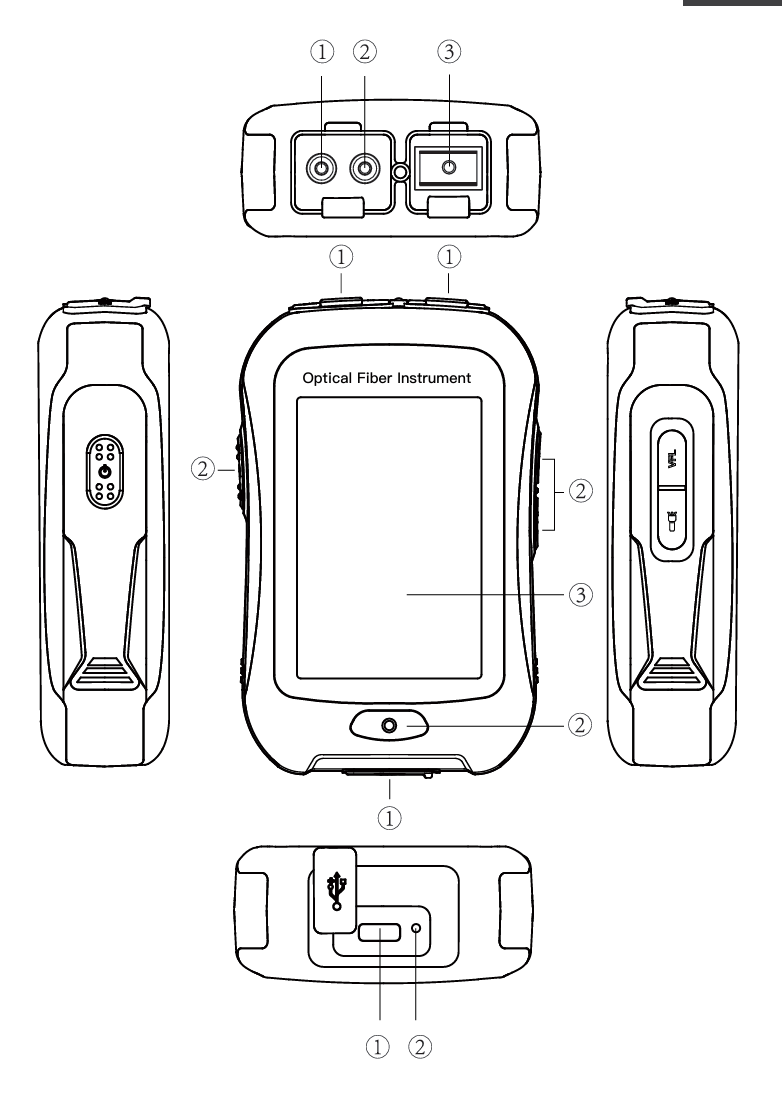
Top view Main view Back view
① OPM port ① Dust Cover ① Type C USB
② VFL port ② Function Keys ② LED Charging indicator
③ OTDR/LS port ③ 3.5 inch Color LCD
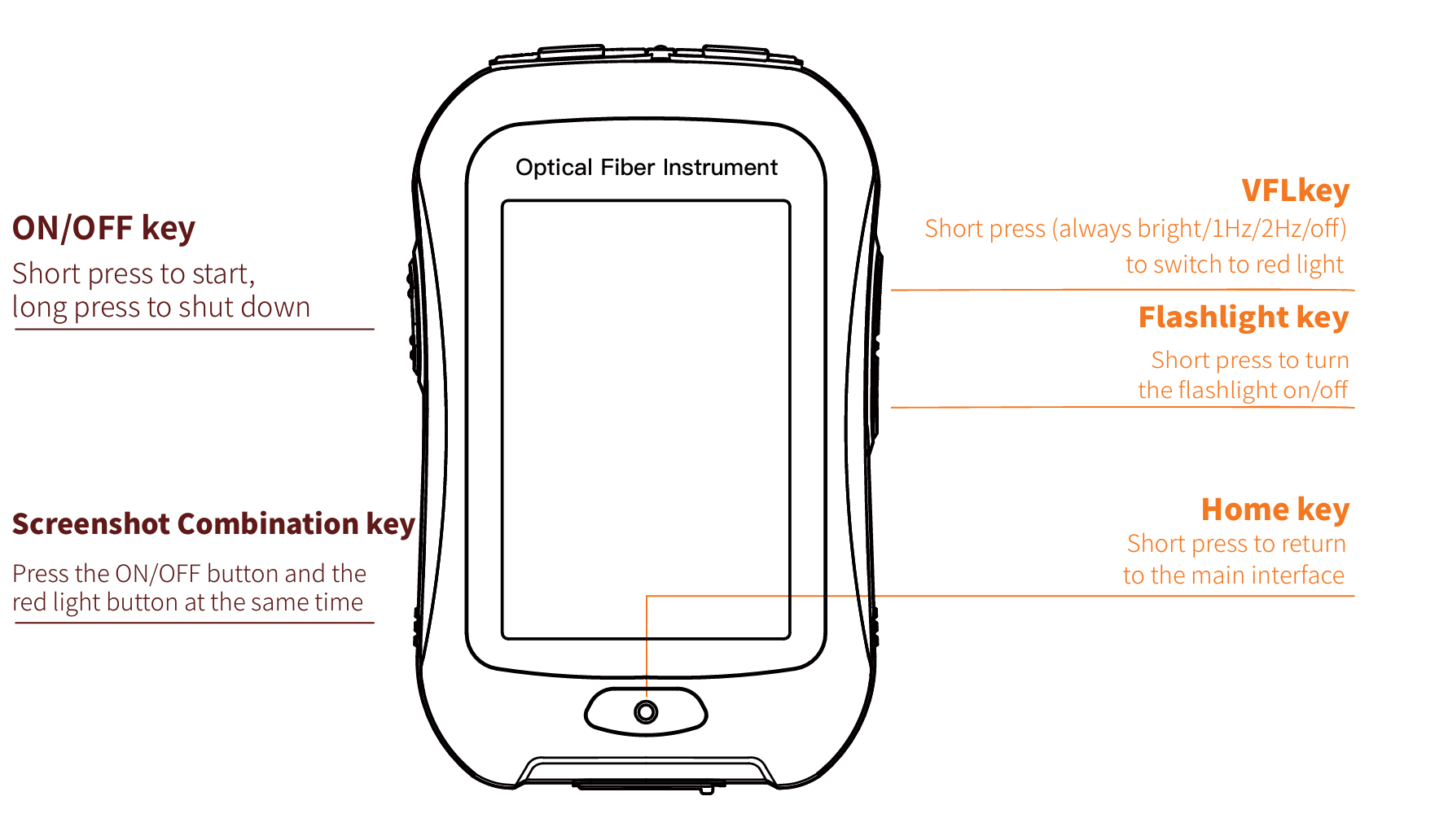
Functional Keys
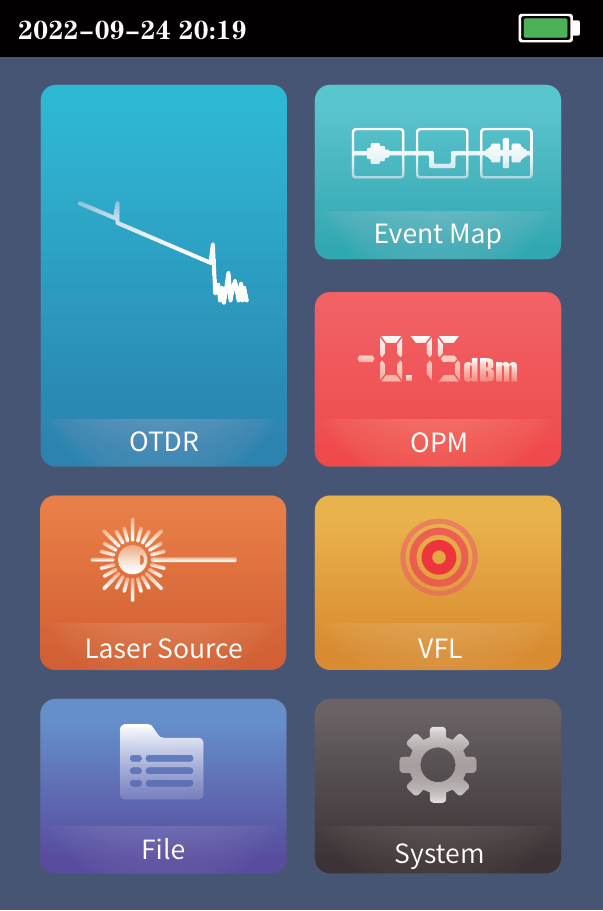
Main Interface
Enter the main menu after power on, there are 7
function modules. Press the function icon to enter the
corresponding function interface
Date &Time Flashlight Battery

LS USB VFL
OTDR-Curve
Setting parametes :Select the test wavelength, range,
pulse width and time
Mode switching:Real time test, average test and auto test
mode switching
Wavelength:Select the test wavelength of OTDR
Test range:Usually required to be set about twice the
length of the measured optical fiber
Test pulse width:5ns~10000ns optional, different measuring ranges, different pulse widths are available
Curve Operation
Curve Zoom, drag:Touch screen gesture operation
Restore initial curve:Double click the screen
Move Cursor:Drag A or B
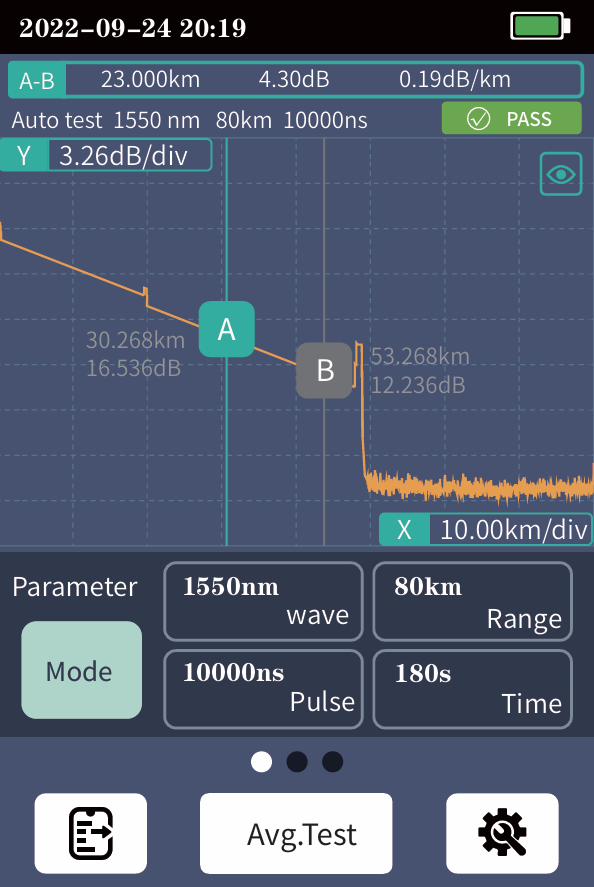
OTDR List
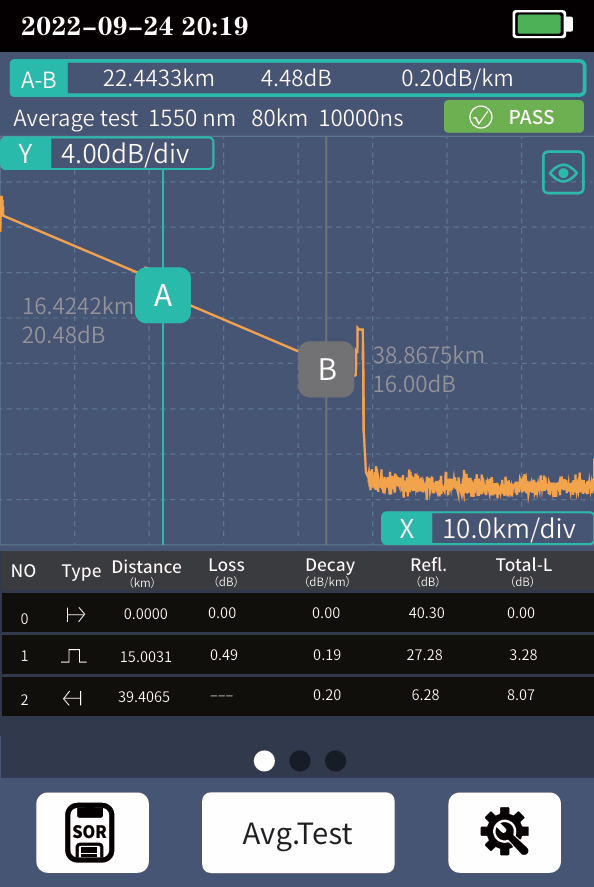
List: the tested results are displayed in the form of a list.
A-B Total length: the total length of the link under test.
A-B Total loss: the total loss of the link under test.
A-B Slope: the loss per kilometer of the link under test.
In the event list:
NO.: the order of the current event.
Type: the type of the current event.
Distance: the location of the current event.
Loss: the loss of the current event.
Decay: the loss from the starting point to the current
event.
Reflection: the return loss of the current event.
Total loss: the loss from the starting point to the current
event.
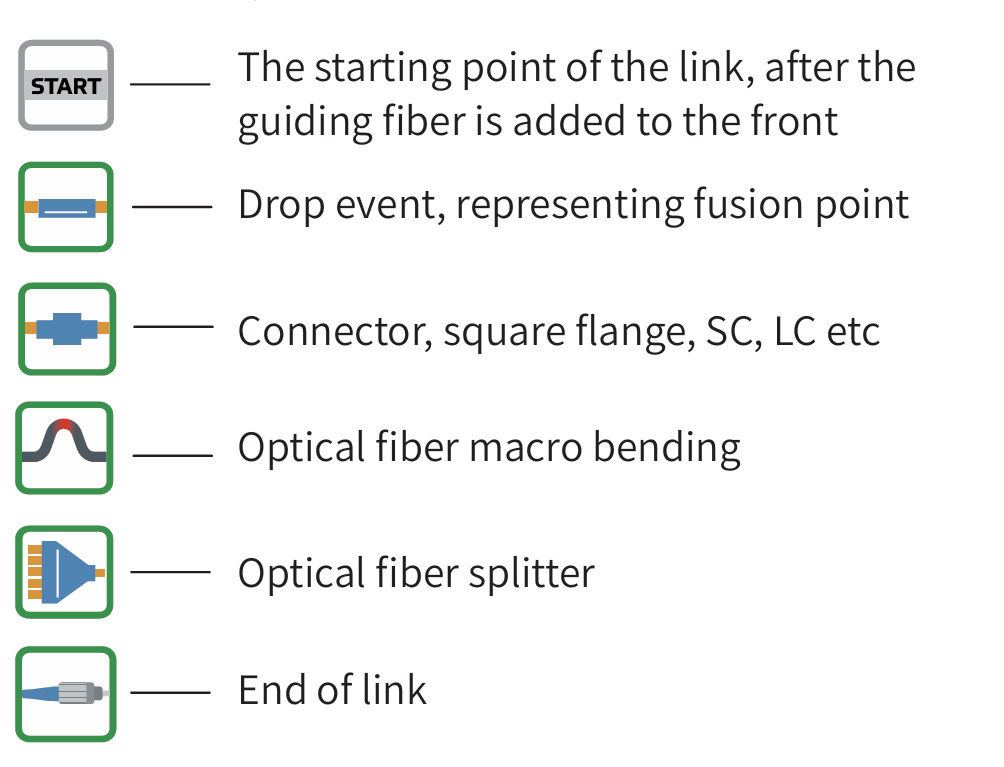
There are five types of events:
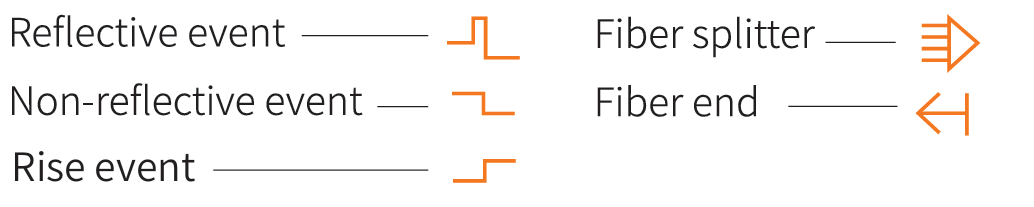
 OTDR Setting
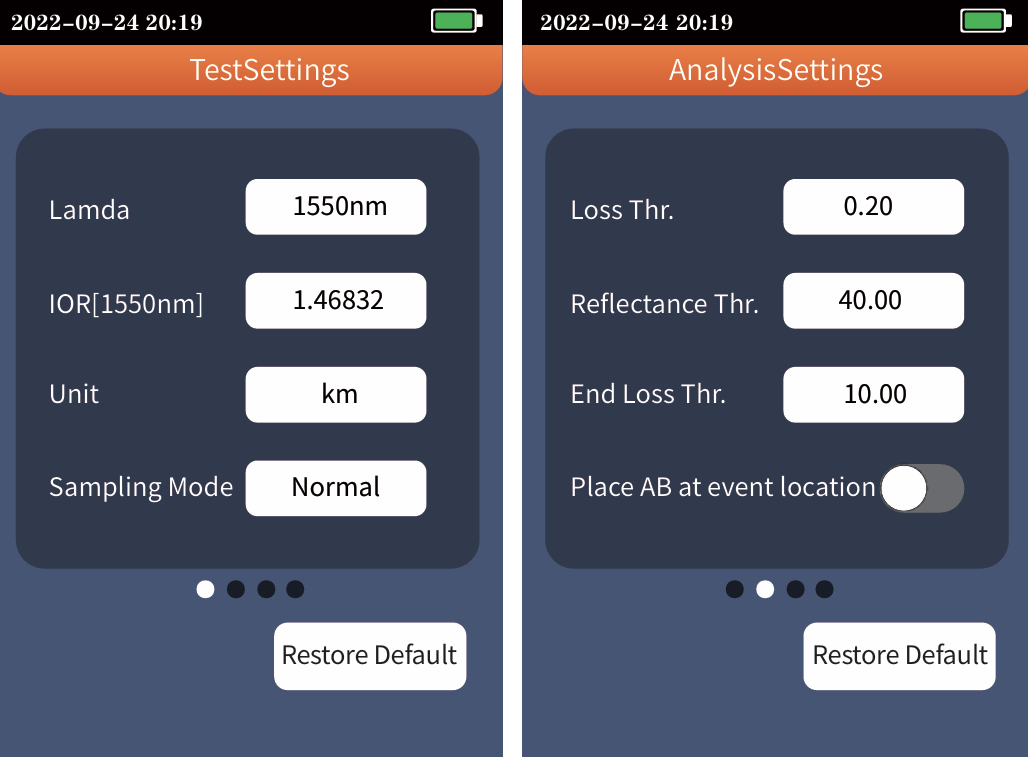
Setting parametes
wavelength, select the test unit and
sampling mode
Test units include km, mi and kft
There are three measurement modes:
fast, conventional and high-precision
Analysis parameter/threshold
setting
Set the reflection threshold, non
reflection threshold and end
threshold required for event
analysis
Event loss threshold: set the loss
threshold of connection point, fusion
point or macro bend in the link that
can be tested, between 0.2~30dB, and
the default value is 0.2dB. Events
larger than the set threshold will be
listed in the event table, or those will
be ignored.
Reflection threshold: set the return loss threshold of the
link reflection events that can be tested, ranging from
10dB to 60dB, and 40dB by default.
End threshold: set end loss at the end of the link that can
be tested, ranging from 1~30dB, 10dB by default.Reflection threshold: set the return loss threshold of the
link reflection events that can be tested, ranging from
10dB to 60dB, and 40dB by default.
End threshold: set end loss at the end of the link that can
be tested, ranging from 1~30dB, 10dB by default.
 OTDR Setting
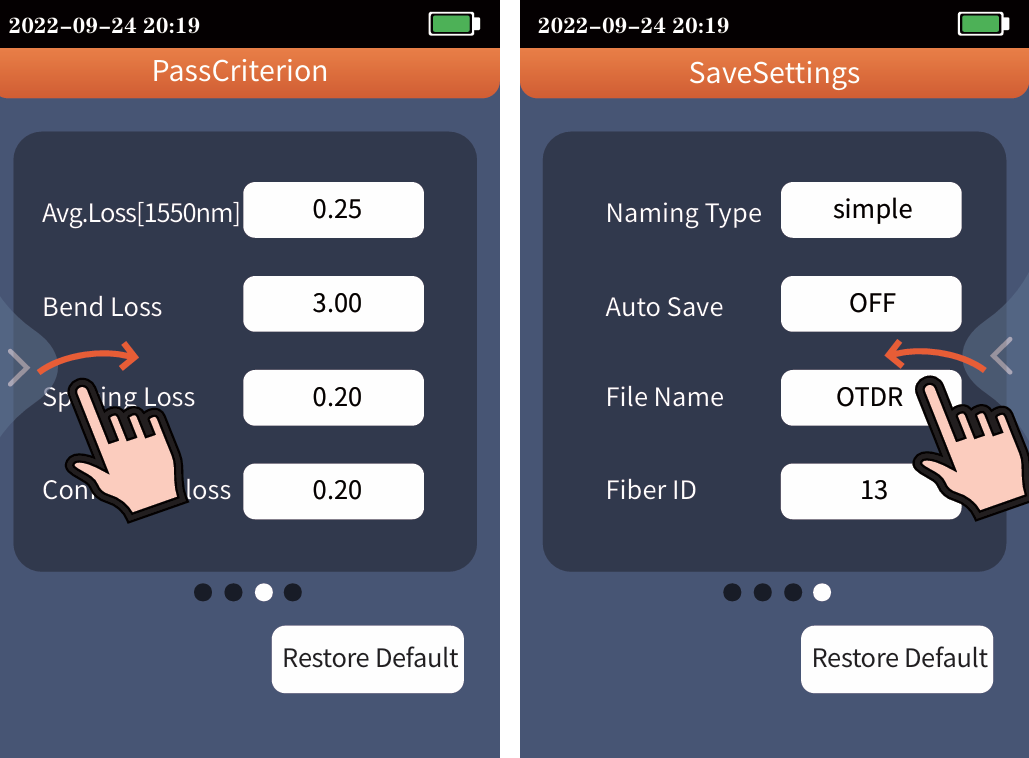
Acceptability criterion
Set the judgment value for the average
loss of connection/fusion/bend
ing/link. If it is less than the value, it is
judged as "PASS", otherwise it is "FAIL"
Average loss: the loss value per kilome
ter of the link under test
Bending loss: non reflective events
caused by fiber bending, need to be
tested at two wavelengths at once
Welding loss: non reflective event,
refers to fusion
Connection loss: reflection event,
refers to flange, SC, LC and other joints
Set return: the gesture slides from the
right or left
 File Operation
Save Settings
Simple: File name is "file name prefix (default" otdr ") -
serial number", and the serial number increases in
sequence.
Detailed: File name is "file name prefix - range - pulse
width - serial number", and the serial number increases in
sequence
Auto Save:Automatic saving of test curve after opening
File name:File name prefix
Fiber ID:the serial number of the current optical fiber
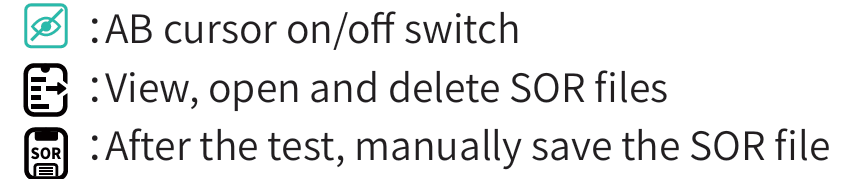
File operation
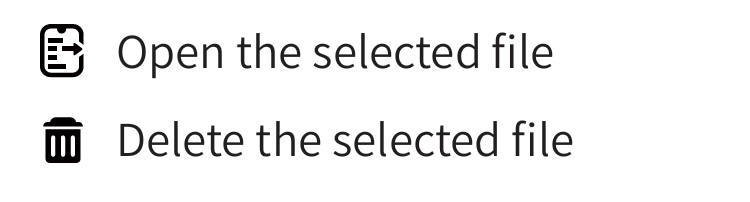
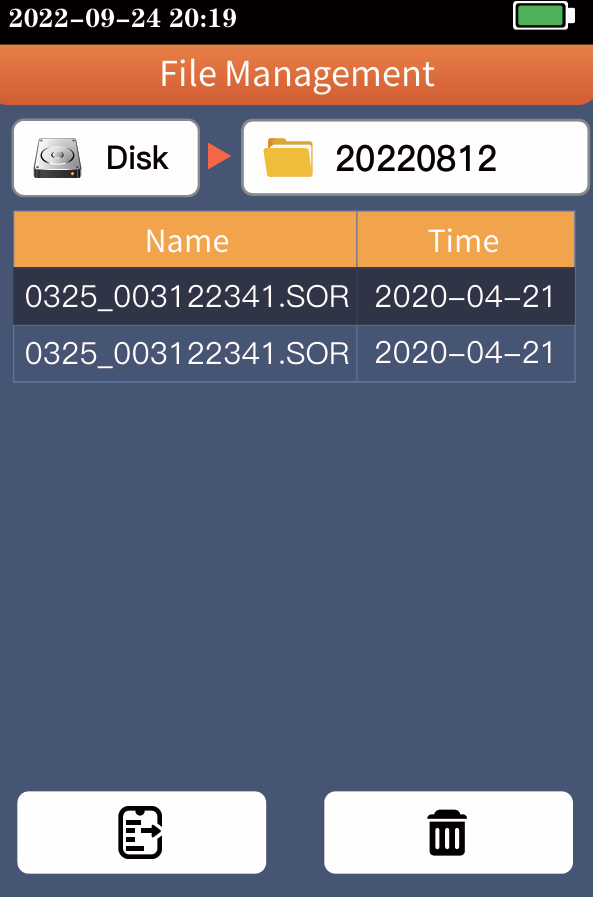
All test curves are saved in the internal disk of the
instrument. Press [File] to enter the file operation
interface, where you can open and delete files.
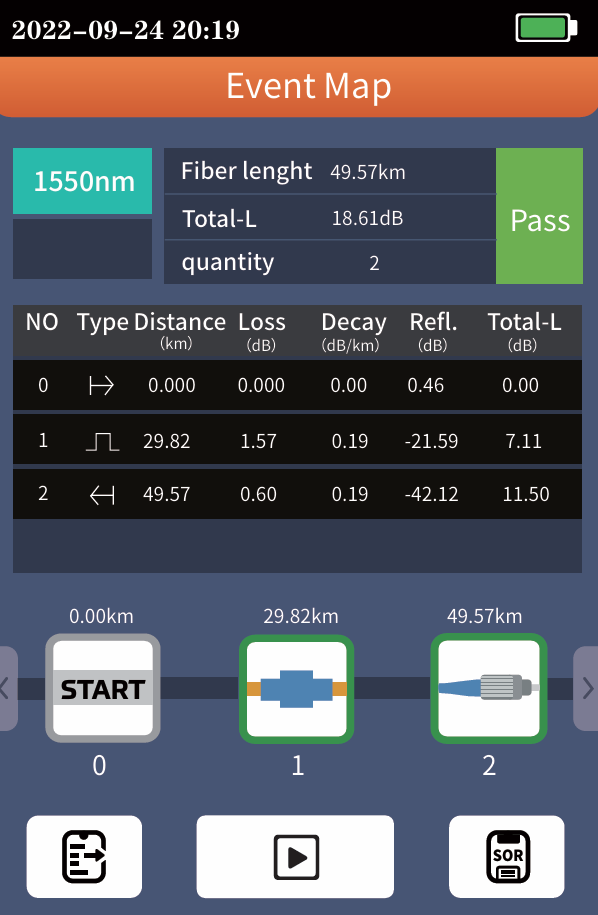
Event Map
The function is fully one key automatic test, and the
information such as the length of the optical fiber link to be
measured, the type of the joint and the position of the
breakpoint are displayed graphically, and the results are
clear and easy to understand
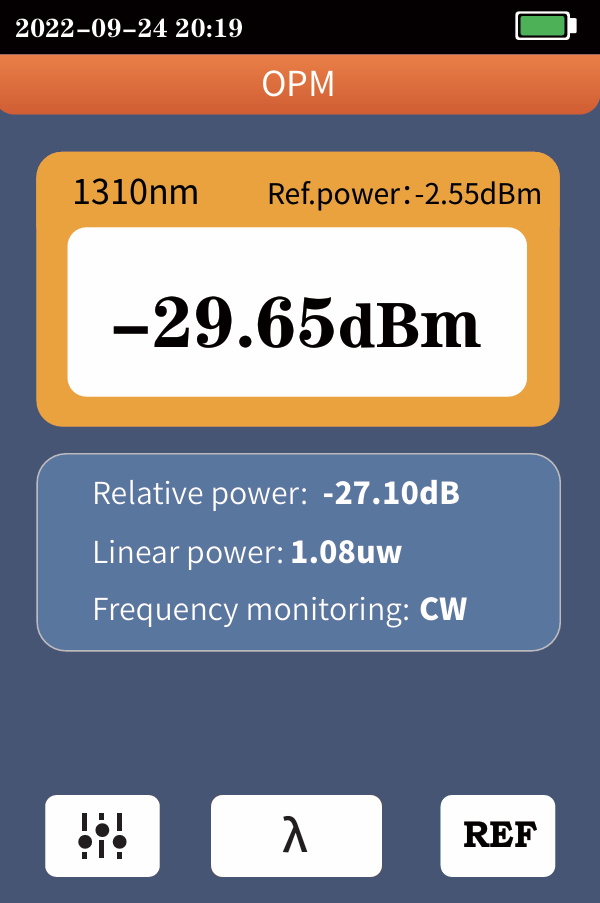
 OPM
OPM
It is used for signal power test and insertion loss test of
various equipment and photoelectric components. It
can identify and measure the power of 270/
330/1k/2kHz frequency laser.
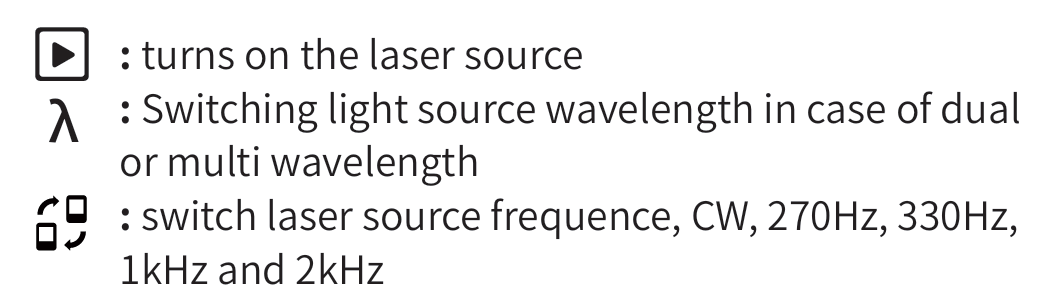
 :Switching the operating wavelength of the power
meter, wavelength switching 850, 980, 1300, 1310, 1490,
1550, 1625, 1650 nm
 :Set the current power as the reference power
 :Enter the user calibration mode, coordinate with
the standard light source to calibrate the power
The conversion relations of absolute power, relative
power and linear power are as follows:
PAbs.Pow=10lgPLin.Pow/1mW
PRel.Pow=PAbs.Pow-PRef.Pow
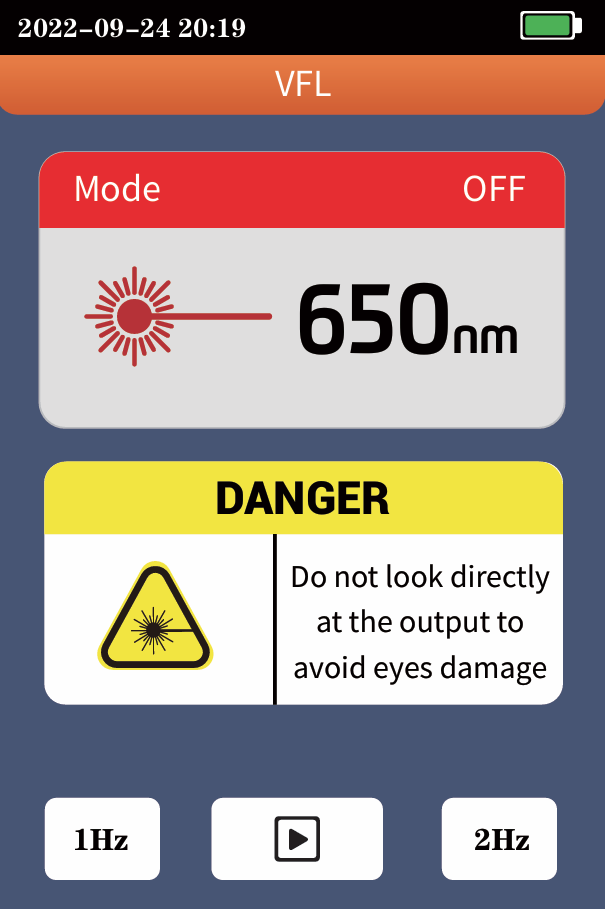
VFL
Inject the visible red light (650nm) into the optical fiber,
and observe the light leakage position on the measured
fiber, which can easily and accurately determine the
position of the optical fiber fault point. It is applicable to
the detection of the near end failure point of bare optical
fiber, optical fiber jumper and other optical fiber and
optical cable that can pool red light and the high loss
section caused by micro bending
 Turn on the red light source and work continuously
1Hz:Red light source flashes once a second
2Hz:Red light source flashes twice in one second
 Turn off the red light source
Warning
Avoid looking directly at the laser output port, because
the laser will cause damage to the human retina!
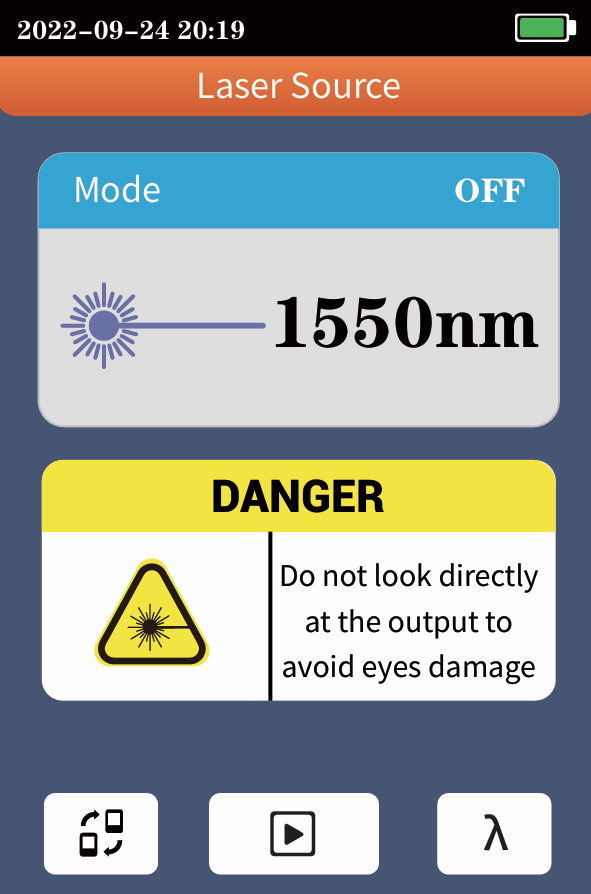
 Laser Source
The output laser with the same wavelength as OTDR
function, which can be used to test the parameters of
telecommunication, CATV and LAN optical cables, test
the insertion loss, isolation and return loss of optical
passive components, and test the wavelength respon
sivity of detector.
There are five working modes : CW, 270Hz, 330Hz, 1kHz
and 2kHz.
Warning
Avoid looking directly at the laser output port, because
the laser will cause damage to the human retina!
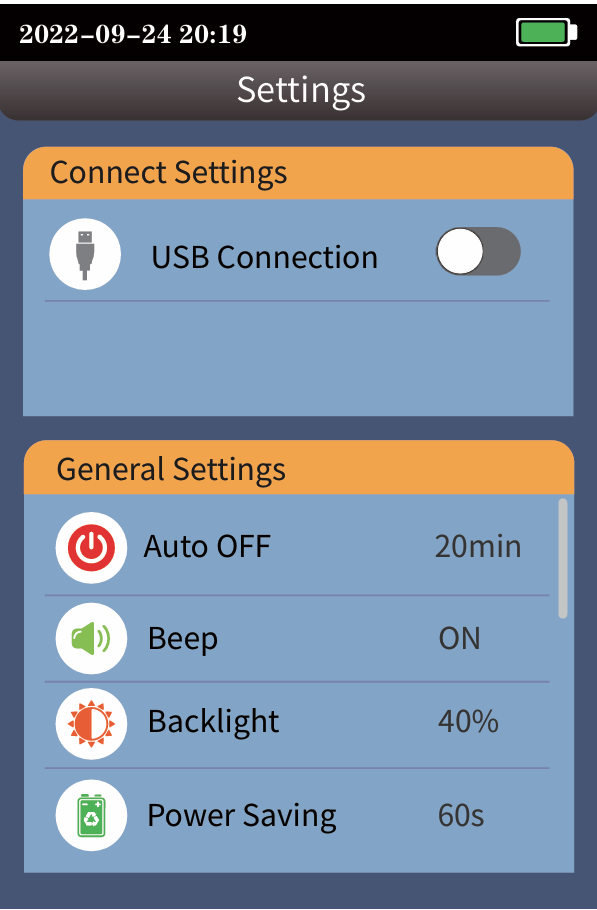
SET AUTOMATIC SHUTDOWN, BACKLIGHT BRIGHTNESS, TIME,LANGUAGE
AND OTHER INFORMATION
USB connection:Connect the computer through Type-C, and
make the device into a virtual USB flash disk, which can
export files inside the device
Automatic shutdown:5/10/20/45/90 minutes
voice:Turn touch tone on or off
Backlight brightness:0%~100% brightness
Power saving settings:20/30/60/120s automatic screen out
time:Set instrument time
date:Set instrument date
Language Settings:Set native language type
Restore factory settings:Restore default parameter values
SD card format:Delete all files on this computer
upgrade:Native software updates
Version information:View local information and alarm
records
이전
How to fix TN1700 OTDR SD Card Read Bug
더 읽어보기
 :Switching the operating wavelength of the power
  :Set the current power as the reference power
 :Enter the user calibration mode, coordinate with
 Turn on the red light source and work continuously
 Turn off the red light source

